

Is it safe to give an agency your OnlyFans login?
Giving an agency your OnlyFans login is rarely safe: it risks lockout, redirected payouts and a kept fan list. Here are the real risks and how to limit them.
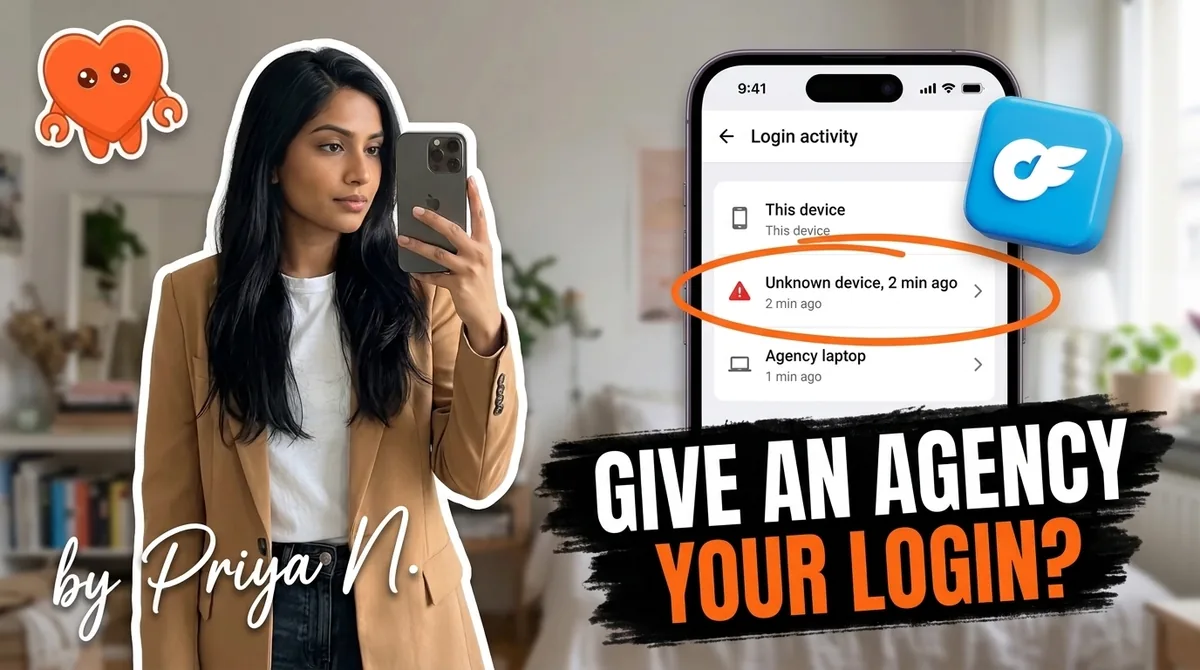
Giving an agency your OnlyFans login is not safe by default. Whoever holds your password can change your recovery email, your two-step verification, and your payout settings, read every fan conversation, and export your subscriber list. The account stays legally yours, and so does the responsibility for everything done in it. If you work with an agency anyway, you can cut most of the risk by keeping the email, the 2FA, and the payout account under your sole control.
This is general information, not legal advice. For a contract with real money attached, a short review by a lawyer costs less than the dispute it prevents.
What can go wrong when an agency has your OnlyFans login?
A shared password hands over far more than chat access. The main risks are account takeover, lockout when the relationship ends, redirected payouts, a subscriber list that walks out the door, rule violations you are responsible for, and verification problems that freeze the account. None of them requires a scam agency. A good agency with sloppy security creates most of them too.
Account takeover. Your password unlocks the settings, not just the inbox. Anyone logged in as you can change the email tied to the account and the phone or app that receives your verification codes. Once both point somewhere else, you are a guest in your own business.
Lockout on termination. It is a recurring story in creator forums. The relationship sours, you give notice, and the login stops working. The account is tied to your verified identity, so you can usually reclaim it through support, but that can take weeks of lost revenue while fans wonder where you went.
Payout redirection. Full access reaches the payout page. In a 2022 investigation by Rolling Stone, one creator alleged her agency rerouted her payment information to its own bank accounts. That is an allegation, not a ruling, but it shows exactly what the access makes possible.
Subscriber list retention. Anyone inside the account sees who your top spenders are, what they bought, and how you talk to them. That list is the most valuable asset you own. Many contracts let the agency keep a copy after you leave, and nothing technical stops a chatter from screenshotting it.
Terms-of-service exposure. Chatters who push off-platform payments, send spammy blasts, or misrepresent who is typing do it under your name. The platform sees your account doing it.
Verification and security flags. A login bouncing between your home, an office in another country, and a chatter's laptop is the pattern account-security systems exist to catch. At best you get extra verification prompts. At worst the account can be paused for review at the moment nobody can reach it.
What do OnlyFans' terms say about account access?
OnlyFans' terms do not forbid getting help with your account, but they leave no doubt about who carries the risk. The OnlyFans Terms of Service state that if someone assists you with operating your Creator account, "this does not affect your legal responsibility," and that the platform's relationship "is with you, and not with any third-party." Whatever the agency does in your account, you did.
In practice that means three things:
- Their violations are yours. If a chatter steers a fan to an outside payment link or posts something against the rules, the warning, suspension, or ban lands on your account, not on the agency.
- Impersonation is a live legal issue. In July 2024, subscribers filed a class action in a California federal court alleging that paid chatters posed as creators. Several management agencies were named as defendants alongside OnlyFans' parent companies. Whatever the outcome, fans and courts now pay attention to who is really typing.
- AI needs disclosure. The terms require AI-generated content to be clearly captioned as AI-generated, and as of 2026 OnlyFans expects creators to disclose AI-written replies. An agency running a chatbot on your login without telling fans puts that exposure on you.
The one-line version: an agency can work inside your account, but it can never take on your responsibility for it.
Is it ever reasonable to let an agency access your account?
Yes, if the access is structured so you can end it in minutes and nothing important moves without you. Some legitimate agencies bring real distribution and do need to act in your account. The question is not "agency or no agency." It is who controls the email, the two-step verification, and the money, because those three decide whether you can walk away.
Here is how the common setups compare:
| Access setup | Who controls email, 2FA and payouts | Can you cut access fast? | Risk level |
|---|---|---|---|
| Agency holds your password, email and 2FA | The agency | No, you need their cooperation or support | High |
| Agency has your password, you keep email and 2FA | You | Yes, change the password and close sessions | Medium |
| Agency works through a tool that logs in from its own servers | You, but the tool holds your credentials | Partly, the credentials still sit on someone else's server | Medium |
| Nobody else holds your login, work runs on your own machine | You | Nothing to revoke | Low |
If an agency insists on the first row, that is one of the clearest OnlyFans agency red flags. A partner confident in its work does not need to own your recovery email to do it.
Before any agency logs in, ask these questions and get the answers in writing:
- How exactly will you access my account, and from where? Named people, devices, and countries.
- How many chatters will use my login, and what happens when one leaves? The answer should include a password change.
- Will anyone ever change my email, 2FA, or payout details? The only acceptable answer is no.
- What fan data do you store outside OnlyFans, and when is it deleted? Screenshots, spreadsheets, and CRM exports all count.
Vague answers here are an answer. An agency that cannot describe its own access in two sentences cannot protect it either.
How to limit your exposure if you work with an agency
If you decide to work with an agency, treat access like a bank account you are letting someone use: in writing, in your name, with the ability to shut it off yourself. These eight steps cover the risks above, in the order you should set them up, ideally before the agency ever logs in.
- Put access rules in the contract. Require that the agency never changes the login email, password, two-step verification, or payout details. Add a clause that all credentials and account data are returned or deleted within a set number of days after termination, and that you may revoke access at any time.
- Use a dedicated email you alone control. Create a separate email address for your OnlyFans account, protect it with its own strong password and two-step verification, and never share it. Whoever controls the email controls password resets.
- Own the two-step verification. Turn on two-step verification in your OnlyFans account settings and link it to an authenticator app on your own phone rather than SMS where you can. Save the backup codes offline. If the agency needs a code, they ask you, and that is the point.
- Keep payouts in your legal name. The payout account should be yours, in the name that matches your verification. Never let revenue route through an agency's account first. Check the payout page yourself every week.
- Use a unique password and rotate it. Give the agency a password used nowhere else, and change it whenever a chatter or manager leaves their team. Credential access piles up quietly.
- Audit the login sessions. Your account settings list recent sessions with device and location. Review them weekly and ask about anything you did not expect. Compare your earnings statements against what the agency reports.
- Export your own data regularly. Keep your own copy of your subscriber insights, earnings statements, and best-performing messages. If the relationship ends badly, you do not start from zero.
- Write the exit plan on day one. Know your notice period, which clause governs data, and the order you will move in: export, written notice, then rotate the password, email, and 2FA as the contract allows. The full sequence is in how to leave an OnlyFans agency.
If an agency already holds your email or 2FA, do not change everything in anger overnight. Changing credentials before formal notice can breach some contracts. Check the access clause, export your data, then reclaim access in the order your contract allows.
Signs your agency has too much control already
Most creators who hand over a login never check what the agency did with it. You have given away too much control if you cannot reset your own password without asking someone, or if money reaches you only after it passes through another account. Run this check today, it takes ten minutes.
- You cannot receive your own verification codes. The phone number or authenticator is theirs.
- The login email is not yours. Some agencies register the account on their own address during setup.
- Payouts arrive from the agency, not from OnlyFans. Your money now depends on their timing.
- You do not know how many people log in. No list of chatters, no shift schedule, no session review.
- Fans mention messages you would never write. Off-voice replies, pressure tactics, or links you did not approve.
Each item on its own is fixable. Three or more at once means the agency, not you, controls your business, and the steps above are urgent rather than optional.
The alternative: keep your login on your own machine
The safest answer to "is it safe to give an agency your OnlyFans login" is not needing to. Most of what agencies sell, replying to DMs, following up, posting on a schedule, pricing pay-per-view, is repetitive work that can now run without anyone else touching your password. The workload was real. Handing over the keys was never the only fix.
The software tools do not solve the access problem either. The chatting tools that rank today, Supercreator, Infloww and the rest, take your OnlyFans login and read your fan messages through their own systems (servers, proxies, or shared team sessions). The structure is the same as an agency: a third party can access your account and your conversations. The fastest way to lose control of your account is handing your login to anything that signs in as you from somewhere else.
FanClaw is built the other way. It is a local-first app that runs a creator's DMs, posting, acquisition, and monetization from her own machine, across OnlyFans, Fansly, Instagram, X, TikTok, Reddit, and Telegram. Your login never leaves your laptop, your fan data never lands on anyone's servers, and you approve what matters before it goes out. There is no credential to revoke, because nobody else ever had it.
It also changes the math. Agencies typically take 30 to 40 percent on top of OnlyFans' own 20 percent. Keeping the work on your own machine keeps that margin with you as well as the password. You can download FanClaw and run it for seven days free before you decide anything.
Frequently asked questions
Not by default. Whoever holds your password can change the recovery email, the two-step verification, and in some cases the payout details, which is how creators get locked out during disputes. If you work with an agency, keep sole control of those three things and put access rules in writing.
OnlyFans' terms do not ban getting help, but they state that someone assisting with your Creator account does not affect your legal responsibility. Anything the agency posts, sends, or charges in your name counts as yours. That includes chatters who break the rules while logged in as you.
In practice, yes, if they control the login email or the two-step verification. The account stays legally yours because it is tied to your verified identity, but getting it back can mean weeks with support. Keeping the email and the authenticator on your own devices removes most of that risk.
Anyone with full account access can reach the payout settings. Payouts should go to a bank account in your own legal name, matching your verification, and you should check the payout page and your statements regularly. A payout change you did not make is an emergency: change the password and contact support the same day.
Often they already have it. Anyone logged in as you can see your fans, their spending, and your DM history, and many contracts include data-retention clauses. Read that clause before signing and ask in writing what they store, where, and when they delete it.
Look at the login sessions list in your account settings, which shows where and when the account was accessed, and review it weekly. Unknown devices or countries you did not agree to are worth a question. Menu labels change over time, so look under the account or security section if you do not see it right away.
Keep the login on a device you own and bring the help to it. A local-first app like FanClaw runs DMs, posting, and monetization from your own machine, so no agency or cloud server ever holds your password, and you approve what matters before it goes out.