How to post on Fansly: a creator's guide (2026)
How to post on Fansly in 2026: setting up content, tiers and pay-per-view, scheduling, and the posting habits that actually grow a Fansly audience.
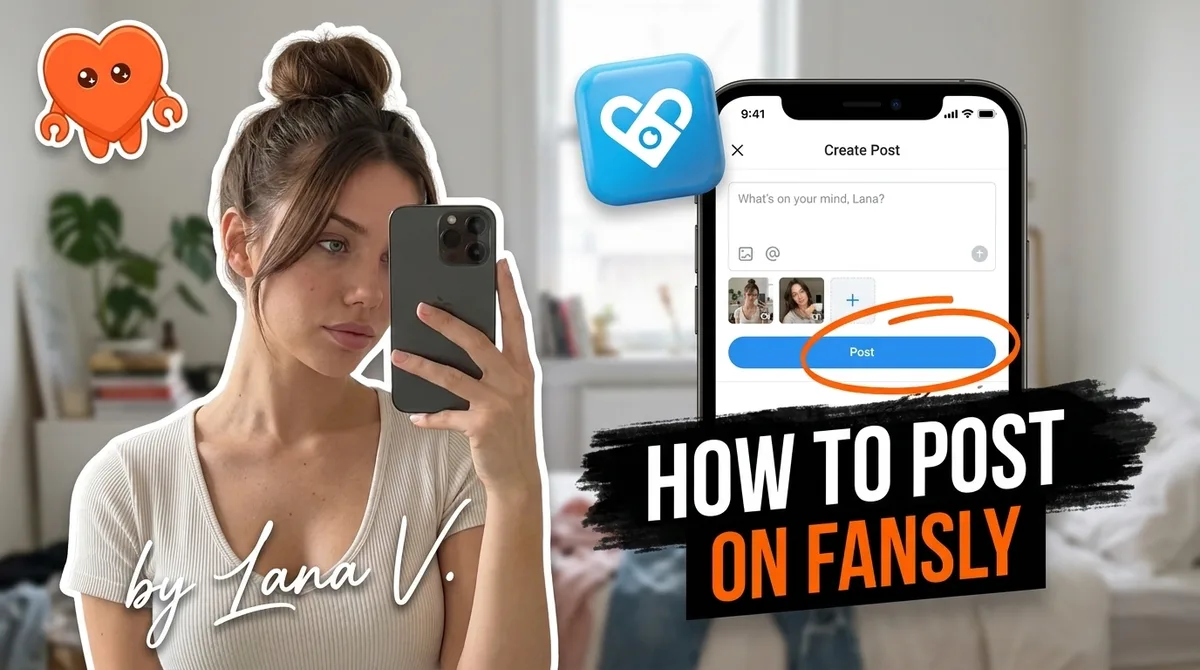
To post on Fansly, open the post composer from your creator dashboard, upload your media, write a caption, choose the access level (free, subscriber-only, or pay-per-view with a price between $1 and $500), assign it to a subscription tier if you have more than one, and click Publish or schedule it for later. The full guide below covers the posting workflow step by step, how to use Fansly's tier and PPV system to maximize revenue, how scheduling works, and how to build posting habits that feed the platform's discovery algorithm.
How to create a post on Fansly: step by step
Creating a post on Fansly takes about two minutes once you know the options available to you. Here is the full sequence.
- Log in and go to your creator dashboard. From the main navigation, click the compose or create post button.
- Upload your media. Fansly accepts photos and video. You can upload directly from your device or pull from your Fansly vault, the private media library where you store content for PPV sale. Multiple files can be added to a single post as a gallery.
- Write your caption. Keep it descriptive and personal. The caption is the first thing a potential subscriber reads in the discovery feed. A caption that hints at what is inside, without giving everything away, converts better than a generic label.
- Set the access level. Three options: free (visible to everyone, including non-subscribers), subscriber-only (accessible to all paying subscribers), or pay-per-view (locked behind a custom price you set). Free posts are your discovery surface. Subscriber-only posts are your core content. PPV posts are your revenue layer.
- Set the tier. If you have multiple subscription tiers, assign the post to the correct one. A PPV post can be sold to anyone regardless of tier, but subscriber-only posts should match the tier they are meant for.
- Choose a PPV price (if applicable). Prices run from $1 to $500. Fansly blurs a preview of the content so fans can see what they are unlocking before they pay. Including one or two preview images on a PPV set can lift unlock rate 40 to 60 percent compared to a text-only locked post.
- Schedule or publish immediately. Click the schedule toggle to pick a future date and time. Otherwise, hit Publish and the post goes live within seconds.
The Fansly vault deserves its own mention. Any content you add to your vault can be sold as PPV at any time, sent as locked DMs to individual fans or as mass messages, and purchased by subscribers at any tier. The vault is how you monetize your back catalog without cluttering your main feed.
Understanding Fansly's subscription tiers
Fansly's multi-tier subscription model is one of its clearest advantages over single-tier platforms. You can run up to five tiers, each with its own price and its own content access level.
The structure most working creators use in 2026:
- Free tier (optional). No charge. Followers can see your free public posts and get a taste of what you create. This acts as a funnel: new fans discover you on the For You Page, follow for free, then convert to a paid tier after they see enough. Not every creator enables this, but it is the most effective top-of-funnel on the platform.
- Entry tier ($5 to $15/month). Access to regular feed posts and occasional PPV offers. This is your volume tier: the goal is a large subscriber count at a price that feels low-risk to a new fan.
- Mid tier ($20 to $40/month). More frequent posts, higher-quality content, DM access, or other perks. This is the primary revenue tier for most creators.
- Premium tier ($50 and up). VIP access: custom content, guaranteed replies, early drops, access to exclusive PPV that lower tiers never see. Not every creator needs this tier, but for established accounts with loyal spenders it adds a meaningful revenue line.
Tiers create a natural content ladder. A fan who subscribes at the entry level can always see the premium tier listed, which creates an upgrade path. PPV posts sit outside the tier structure entirely: any subscriber, at any tier, can unlock a PPV post by paying its price.
For a detailed breakdown of how Fansly's subscription model compares with OnlyFans' single-tier approach, see Fansly vs OnlyFans.
How pay-per-view posting works on Fansly
Pay-per-view is the highest-margin posting format on Fansly. Here is how to use it correctly.
Locking a feed post as PPV
When composing a post, select PPV as the access type and set your price. Fansly automatically blurs the media and shows a preview thumbnail so fans know what they are being offered. The unlock flow is frictionless: one tap, the price is charged, the content reveals. Fansly takes 20 percent of every unlock, leaving you the other 80 percent across subscriptions, PPV, and tips.
Pricing benchmarks that hold in 2026: photo sets $10 to $30, short videos $20 to $50, longer custom videos roughly $3 to $5 per finished minute. A gentle value ladder that moves fans from lower to higher prices outperforms jumping straight to premium pricing.
Sending PPV content via DM
Any content in your vault can be sent as a locked DM to individual fans or as a mass message to your subscriber list. Write a personal or personalized note, attach the locked media, set the price, and send. Mass PPV DMs are one of the most consistent revenue actions on Fansly: they are targeted, they appear in each fan's inbox directly, and you control the timing.
The key habit: segment by spend history. Fans who have already unlocked PPV content convert at a higher rate and can handle a higher price point. First-time PPV targets respond better to lower entry prices. One mass send does not need to go to everyone at the same price.
Scheduling posts on Fansly
Fansly has a native post scheduler built into the composer. After uploading media and setting your access level and tier, click the schedule toggle, pick a date and time, and confirm. The post goes live automatically without any action on your part.
Most creators who are consistent on Fansly do not publish daily in real time. They dedicate one or two sessions per week to batch uploading and scheduling, then let the queue run. A week of content can be set up in under an hour if the media is already ready.
A practical scheduling cadence for a creator posting five times per week:
| Day | Post type | Access level |
|---|---|---|
| Monday | Photo gallery (lifestyle or themed) | Subscriber-only |
| Tuesday | Behind-the-scenes or candid | Free (discovery) |
| Wednesday | PPV video drop (mass DM) | Pay-per-view |
| Friday | Fan-requested or interactive post | Subscriber-only (mid tier+) |
| Sunday | Weekly teaser or preview | Free (discovery) |
Two free posts per week feed the For You Page. The rest reward paying subscribers and generate PPV revenue. The Wednesday PPV mass DM is the primary revenue action of the week.
How posting feeds Fansly's For You Page
Fansly's algorithmic discovery feed works differently from OnlyFans, which has no meaningful organic discovery. On Fansly, posts can appear to users who do not follow you, similar to TikTok's For You Page. The algorithm weighs several signals.
Engagement rate. Likes, comments, and unlocks tell the algorithm your content holds attention. Posts that generate engagement in the first few hours after publishing get broader distribution.
Posting consistency. Accounts that post on a regular schedule accumulate algorithmic trust over time. A gap of more than five days resets some of that momentum. Scheduling ahead protects against it.
Profile completeness. A clear profile photo, a detailed bio, and a visible free tier (even with minimal content) all signal to the algorithm that the account is active and worth distributing. Treating your Fansly profile as a storefront, not just a paywall, makes a measurable difference in how often new fans find you.
Content quality signals. High-resolution media with strong cover images performs better in the discovery feed than blurry or poorly cropped thumbnails. Your cover image is the only thing a non-subscriber sees before deciding to click. It carries more weight than the caption.
The fastest way to grow on Fansly is to combine consistent posting with free or low-access content that gives the algorithm something to distribute. Putting everything behind a high-priced paywall immediately limits discovery.
Building a posting cadence that grows your audience
Posting cadence is one of the most predictable growth levers on Fansly. Creators who post four to seven times per week and maintain that pace for 60-plus days consistently outperform creators who burst and go quiet.
Separate creation from distribution. Film or photograph a week or two of content in one or two dedicated sessions. Then schedule everything and step away. Batching cuts the cognitive load that leads to inconsistency.
Reserve PPV for your best material. Not every post needs to be locked. Free and low-tier posts fill the feed and drive discovery. PPV works best on content that delivers a clear, specific value: a full video, a themed set, a custom piece. Locking mediocre content trains fans to skip your PPV offers.
Treat the first 48 hours as a launch window. Engage with likes and comments on a new post within the first two days. Early engagement accelerates algorithmic distribution. A quick reply to a comment on a new post costs 30 seconds and meaningfully extends the post's reach.
Use free posts as trailers for PPV. A free post with two or three teaser images from an upcoming PPV set pre-sells the unlock. Fans who saw the preview and liked it already want the full piece when the PPV drops. This sequence turns your discovery content into a warm-up for paid content.
Cross-posting from OnlyFans without doubling the work
Running both OnlyFans and Fansly is the 2026 standard for solo creators who want to diversify platform risk and not depend on a single income source. Both platforms take 20 percent, but their user bases overlap very little in practice. The same content earns twice.
The sustainable cross-posting workflow:
- Post on your primary platform first. Most creators treat OnlyFans as their main platform for legacy subscriber base, then Fansly as the growth platform with better discovery.
- Wait two to five days before posting on the second platform. This prevents the rare case where a subscriber is on both platforms and sees identical content on the same day.
- Reuse captions with minor edits. The caption that worked on one platform will work on the other. Change the platform-specific references (mentioning fan counts, tier names) and re-use.
- Send PPV to both fan lists separately. A video PPV drop on OnlyFans is a separate revenue event from the same video on Fansly. One piece of content generates two mass sends and two unlock revenue streams.
Managing two platforms manually doubles the operational work without doubling the creative work. The creative work stays constant. The distribution layer, scheduling, sending PPV DMs, tracking which content has gone where, is what scales. That is exactly the part a local-first tool like FanClaw handles. FanClaw is an app that runs a creator's DMs, posting, PPV sends, and fan management from her own machine, using fan data that never leaves her computer. Unlike tools (Supercreator, Infloww, and similar services) that take your platform login and run your fan messages through their own systems (servers, proxies, or shared team sessions), FanClaw runs entirely on your machine. You approve what matters. Your data stays yours. You can download FanClaw and run a free seven-day trial across both platforms.
For a full breakdown of which platform suits your situation, read Fansly vs OnlyFans.
Frequently asked questions
Log in, go to the creator dashboard, and click the post composer. Upload your media (photos or video), write a caption, then choose whether the post is free, subscriber-only, or pay-per-view with a custom unlock price. Set the target tier if you have multiple subscription tiers, then hit Publish or schedule for later. Your first post is usually live within seconds of submitting.
Fansly supports up to five subscription tiers. Most active creators use two or three: a low-priced entry tier, a mid-tier for regular content, and an optional premium tier for VIP access. Each tier can receive different posts, giving you a natural content ladder rather than one flat paywall.
You can lock any post or DM behind a PPV price between $1 and $500. Fansly blurs a preview of the content so subscribers can see what they would be unlocking before they pay. You can also send PPV content directly to fans in their DMs as locked messages. Fansly takes its 20 percent platform cut from every unlock.
Yes. Fansly has a native scheduler built into the post composer. After uploading your media and writing a caption, select a future date and time before publishing. Many creators schedule a week or two of content in one batch session so the feed stays active without daily manual work.
Four to seven posts per week is the cadence most active Fansly creators maintain. Consistency matters more than total volume: a predictable schedule teaches the algorithm that your account is active and gives subscribers a reason to check back. Going quiet for more than five days tends to hurt both algorithmic reach and renewals.
Fansly has an algorithmic discovery feed that surfaces posts to users who do not yet follow you, similar in concept to a For You Page. Engagement signals (likes, comments, unlocks) feed the algorithm. Regular posting, a strong cover image, and a descriptive bio all improve how often your content appears in that feed.
Yes, and most creators do. The standard approach is to post on one platform first, wait a few days, then post on the other. Subscriber overlap between the two platforms is low, so the same content earns twice. Running both simultaneously is the 2026 standard for solo creators who want to diversify platform risk.
The Fansly vault is a private media library where you store content separately from your public feed. Vaulted content can be sold as PPV at any price, sent to individual fans or as mass DMs, and purchased by anyone regardless of their subscription tier. It is the main tool for selling back-catalog content.