How to delete your OnlyFans account (2026 guide)
Delete your OnlyFans account from Settings, Account, Delete account. Here is the full process, what happens to your data and payouts, and whether you can undo it.
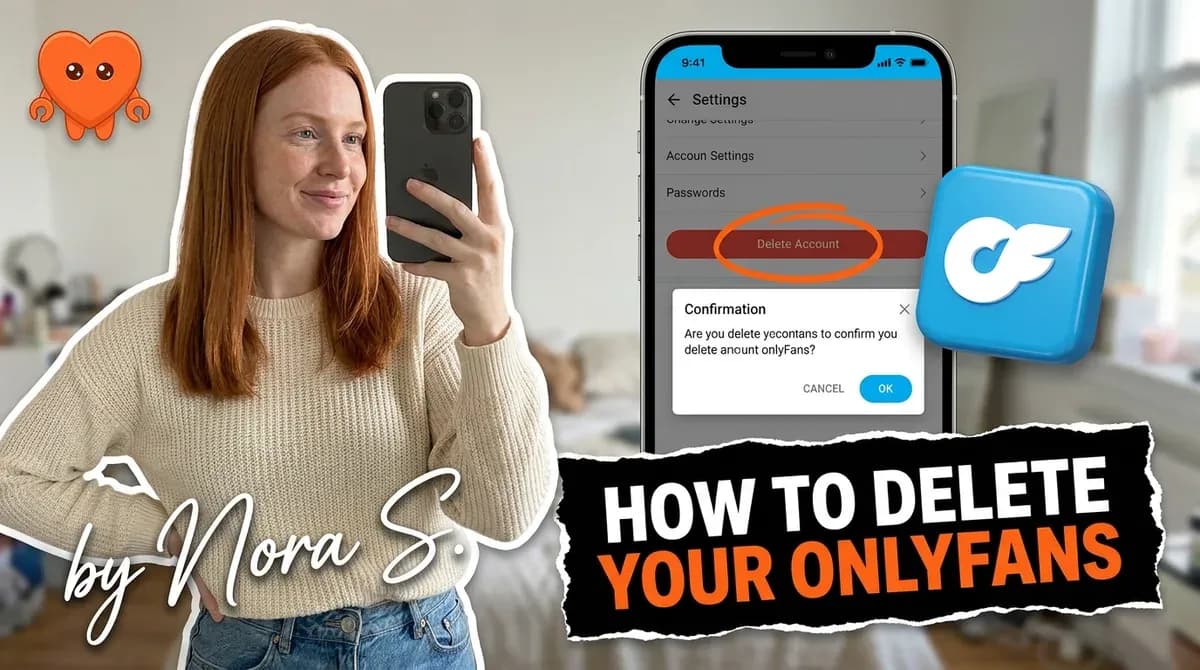
To delete your OnlyFans account, open Settings, go to the Account section, choose Delete account, enter your password, and confirm. It works the same way on desktop and on a phone browser, and it is permanent. Before you click through, clear any remaining balance and save anything you want to keep, because a deleted account cannot be recovered.
This guide covers the exact steps, the real difference between deleting and disabling, what happens to your content, payouts, and taxes, whether you can undo it, and one question worth asking before you do: is deletion actually the thing you need?
How to delete your OnlyFans account (step by step)
Deleting takes about a minute, and the path is the same whether you are a fan or a creator. You will need to be logged in and know your password, because OnlyFans asks you to confirm it before it closes the account.
- Log in to OnlyFans on a browser, desktop or mobile.
- Open Settings. Click your profile picture in the top corner and go to Settings.
- Find the Account section. This is where account-level controls live.
- Choose Delete account. Look for the delete option within Account settings.
- Enter your password and confirm. OnlyFans asks for your password as a final check, then processes the deletion.
A few things to do before that last click. Withdraw any remaining balance, because you lose access to it once the account closes. Download or back up any content or records you might want later, including earnings statements you will need at tax time. And if you are a creator, understand that the account does not disappear instantly: active subscriptions generally run until they expire, up to about 30 days, and the deletion completes after that.
Delete vs disable: what is the difference?
Here is the part most guides get wrong: OnlyFans does not offer a true "deactivate" button. On many platforms you can temporarily switch your account off and flip it back on later with nothing lost. OnlyFans is not built that way. Your realistic options are to delete the account permanently, or to leave it standing and simply stop using it.
That changes the decision. If what you actually want is a pause, deleting is the wrong tool, because there is no paused state to come back to. The practical "soft pause" is to keep the account but make it dormant: stop posting, remove personal details, change your display name, and let it sit quietly. You will not gain subscribers, but you keep the door open. An account that is disabled by OnlyFans (rather than deleted by you) can sometimes be restored, but that is a different situation from a deletion you chose.
The one-line version worth remembering: deleting is permanent and final, dormancy is reversible, and OnlyFans gives you no middle "deactivate" setting in between.
What happens to your data, content, and payouts
When a deletion completes, your profile, posts, subscriptions, and follower data are permanently removed and cannot be recovered. Any active subscriptions, both ones you hold as a fan and ones you provide as a creator, are terminated. You stop being billed, your subscribers stop being billed, and your uploaded content comes down from the platform.
Two consequences catch people out:
- Your money does not follow you out. Withdraw your balance before deleting. Once the account is gone, so is your access to any funds sitting in it.
- Deletion is not tax erasure. You still owe tax on what you earned during the year, and OnlyFans still issues the relevant earnings tax form regardless of whether the account is open. Keep your statements before you close it.
There is also a limit worth being honest about: deleting removes your content from OnlyFans, but it cannot retrieve anything that was screenshotted, downloaded, or reposted elsewhere while you were active. Deletion closes your front door. It does not recover copies that already left. That is exactly why protecting your content and identity while you are active matters more than any cleanup you attempt afterward, and why keeping your fan data off third-party servers in the first place is the real privacy lever.
Can you recover a deleted OnlyFans account?
No, a genuinely deleted account is gone. The profile, content, subscriber list, and history cannot be restored once deletion completes, and support cannot bring back what the system has removed. If you delete and later change your mind, you start over from zero with a new account.
The confusion usually comes from mixing up three different states. A deleted account is permanent and unrecoverable. A disabled account, where OnlyFans suspended access, can sometimes be reinstated through support. And a locked-out account, where you simply cannot log in, is often recoverable by resetting your password or verifying your identity. Before you panic about "recovering" anything, figure out which of the three you are actually dealing with, because only the last two have a path back. If your account was suspended rather than closed, why was my OnlyFans account banned explains the difference and the appeal route.
Before you delete: is burnout the real reason?
A lot of creators reach the delete page not because they want to quit, but because the work became unbearable. That is worth pausing on, because deletion is permanent and burnout is not. If the reason you are here is 200 unread DMs every morning, filming all day, and answering the same questions at 2am, deleting the account treats the symptom and throws away the asset.
Burnout is the single most common reason creators walk away, and it is almost always a workload problem, not a desire-to-quit problem. The grind that breaks people is the manual side: the DMs, the follow-ups, the posting, the constant being-online. If that is what is pushing you out, the fix might be removing the grind rather than the account. OnlyFans creator burnout goes deeper on the pattern and how to step back from it without quitting.
This is the gap FanClaw is built for. It is a local-first app that runs a creator's DMs, posting, and follow-ups from her own machine, so the repetitive work happens without her sitting in the inbox all day, and her fan data never leaves her hardware. If the real problem is that the business outgrew your hours, download FanClaw and try a quieter version of it before you delete the thing you built. And if you are genuinely done, then close it cleanly, withdraw your balance, and walk away with your records in hand. Both are valid. Just make sure you are deleting the workload, not an account you will wish you had kept.
Frequently asked questions
Log in, open Settings, go to the Account section, and choose Delete account. Enter your password and confirm. The same path works on desktop and mobile browsers. Deletion is permanent, so clear any balance and download anything you want to keep first.
There is no true deactivate option on OnlyFans. You can only delete (permanent removal of your profile, content, and data) or, in some cases, have an account disabled. If you just want a break without losing everything, the practical move is to stop posting and hide personal details rather than delete.
No. Once an account is genuinely deleted, the profile, content, subscriptions, and follower data are gone and cannot be restored. If your account was disabled or you are simply locked out rather than deleted, you can often regain access by logging back in or contacting support. Knowing which situation you are in matters.
Your account does not vanish the instant you click delete. Active subscriptions generally run until they expire, which can take up to about 30 days, and the account closes after that. Your subscribers stop being billed, and your posted content is removed when the deletion completes.
Yes on both. Withdraw any remaining balance before you delete, because access ends with the account. And deleting does not erase your tax obligation: you still owe tax on what you earned that year, and OnlyFans still issues the relevant tax form for your earnings, so keep your records.
It removes your content from OnlyFans, but it cannot pull back anything that was screenshotted, downloaded, or reposted elsewhere while your account was live. Deleting closes the front door. It does not retrieve copies that already left the building, which is why content protection while you are active matters more than deletion later.
If you are leaving for good, delete and withdraw your balance first. If you are burned out but not certain you are done, a break is usually the better call, because deletion is permanent and you would have to rebuild from zero. Stop posting, hide personal details, and step away. The account waits. A deleted one does not.