What can OnlyFans creators see about you?
What can OnlyFans creators see about subscribers? They see your username and spend, not your real name, email, or card. Here is the full privacy breakdown.
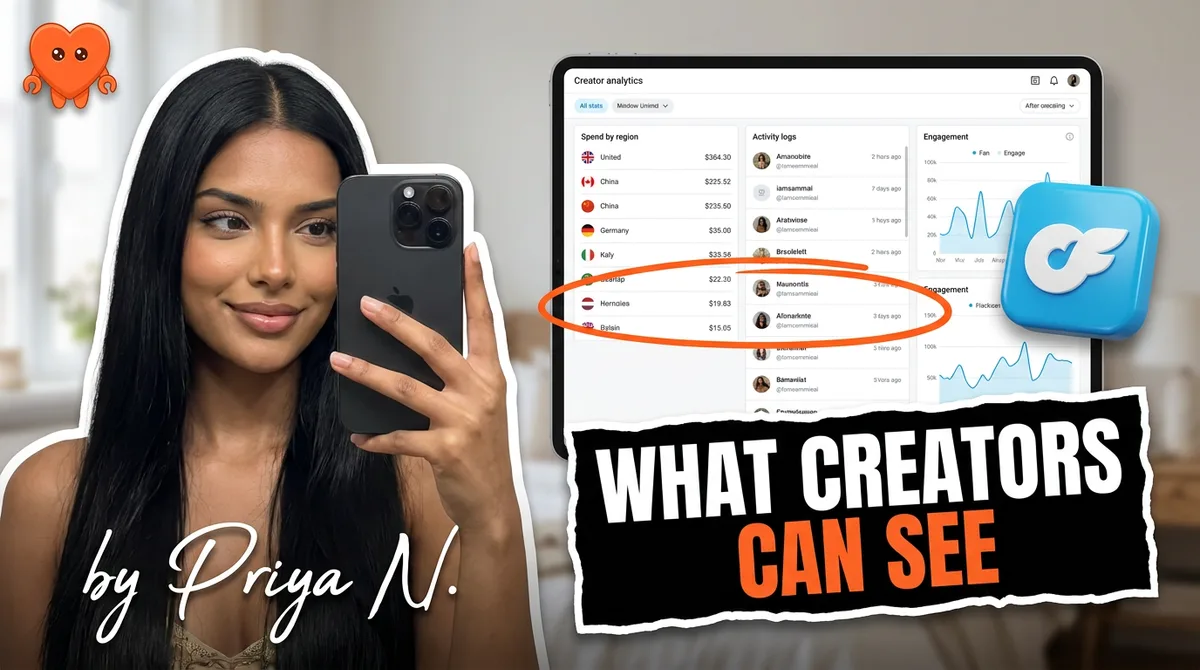
OnlyFans creators can see your username, display name, bio, anything you put in your profile, and whether you have subscribed, tipped, or bought from them. They cannot see your real name, email address, or card details, and they cannot tell who viewed their profile or whether you screenshotted. The platform keeps identity and payment data private on purpose. What a creator learns beyond your username comes from what you choose to share.
Here is the full breakdown of what is visible on each side, the three fears people search most (real name, card info, screenshots), and what it all means whether you are the fan or the creator.
| What a creator sees | What a creator never sees |
|---|---|
| Your username and display name | Your real (legal) name |
| Your profile photo and bio | Your email address |
| Location, website, wish list (only if you filled them in) | Your card number, billing address, or bank details |
| That you subscribed, renewed, tipped, or unlocked content | Your profile views or how long you lurked |
| The dollar amount of each purchase, and your total spend with them | Whether you took a screenshot or screen recording |
| Your messages, likes, and whether you opened a chat | The other creators you subscribe to |
What OnlyFans creators can see about subscribers
A creator sees the public version of you plus your buying activity, nothing more by default. Everything on this list comes from what you typed into your own profile or from how you interact with their page.
- Your username and display name. Whatever handle you chose. If you used your real name here, that is on you, not the platform.
- Your profile photo and bio, if you added them.
- Location, website, and wish list, but only if you filled those fields in.
- Subscription and payment status. That you subscribed, renewed, tipped, or unlocked a paid message, and the dollar amount of each one.
- Your messages and interactions. Inside a chat, the creator reads what you send, sees your likes, and can tell whether you opened a message.
There is one piece people underestimate, so be straight about it: a creator can see how much you have spent on their page in total, not just one purchase at a time. OnlyFans hands creators a running per-fan total and lets them sort their list by it, which is how the "top supporter" idea works. That number is local to that one creator. It is not your spend across the whole platform, and it is still tied only to your username, never your identity.
The notifications are mundane, not forensic. When you subscribe, the creator gets a "you have a new fan" alert with your username. When you tip, they see a line like "username tipped $10" next to the post. None of it carries a name, an email, or a card.
That is the whole picture. None of it includes your legal identity or your financial details. A subscriber who used a clean username and left the optional fields blank is, in practice, anonymous to the creator, even one who can see they are a big spender.
What OnlyFans creators cannot see
Creators are walled off from your private and financial data by the platform itself. This is the part most people are actually worried about, and the answer is reassuring.
- Your real name. OnlyFans does not pass your legal name to creators. It stays with the platform for verification and payment only.
- Your email address. Never shown. A creator cannot email you or look you up by email.
- Your card or bank details. OnlyFans processes every payment, so the creator only learns that money moved, never how. No card number, no billing address.
- Who else you subscribe to. Each creator sees only their own page. Your broader activity is private.
- Your profile views. There is no view tracker. Browsing a page leaves no trace until you interact.
- Your IP address, device, or precise location. The platform does not pass any of this to creators. The location field on your profile is the only geography a creator can ever see, and only if you typed it in.
Worth saying plainly, because it calms a common worry: as a subscriber you never hand OnlyFans a government ID the way creators do. Your account is an email and a payment method, nothing more. The heavy identity verification on the platform applies to people who get paid, not to people who pay.
The single most quotable fact here: a creator never sees your real name, email, or card number. OnlyFans keeps all three private and shows the creator only your chosen username and your spending on their page.
Can creators see your real name, location, or card info?
No to all three, with one asterisk on location. These are the three questions people search most, so here is each one directly.
Real name. Hidden. The only way a creator sees your real name is if you put it in your username or display name, or you tell them in a chat. Choose a handle with zero real-life ties and your name stays yours.
Card info. Hidden, fully. OnlyFans is the merchant of record. It processes every payment and pays creators their share (the platform keeps 20 percent and passes 80 percent on), so creators get a payout and a record of who paid, not the instrument that paid. Your card number and billing address never leave the platform's payment system.
Location. Hidden unless you added it. OnlyFans does not broadcast GPS or an exact address. The location a creator might see is the one you typed into your profile. Leave that field empty and there is nothing to display. If privacy matters to you, do not fill it in.
Can creators see profile views, screenshots, or who else you follow?
This cluster is where the myths live, so here are the plain answers. Creators cannot see profile views, are not notified of screenshots, and cannot see your other subscriptions.
- Profile views: no. OnlyFans has no "who viewed your profile" feature for anyone. A creator cannot tell you lurked, how often, or for how long. The same goes the other way: there is no public view counter creators can use to identify a window-shopper.
- Screenshots: no alert. Unlike some chat apps, OnlyFans does not ping a creator when you screenshot or screen record. That said, saving content for personal use is one thing; reposting a creator's content elsewhere violates the rules and can be illegal, since the creator holds the exclusive right to reproduce and distribute their own work. The absence of an alert is not permission to redistribute. Creators rely on DMCA takedowns and watermarks after the fact, not on catching the screenshot in the moment.
- Other subscriptions: no. A creator cannot see the other pages you follow or pay. The platform isolates each creator-subscriber relationship.
The honest summary: until you subscribe, tip, like, or message, you are invisible. Interaction is what makes you visible, and even then only your username and your spend show up.
One edge case worth knowing. If you dispute a charge, the creator does see that a chargeback happened against their account, because it claws back money they were paid. They still do not see your card or your bank. They see a reversed transaction tied to your username, which is one more reason these disputes get accounts flagged on both sides.
What it looks like from the creator side (and where the data lives)
If you run a page, the same rules describe what you receive: usernames, spend, message history, and whatever a fan voluntarily shares. You do not get identities or payment methods, and you should not want them. The valuable data you do hold is the conversation itself: what a fan likes, when they buy, what they have spent. Most working creators go further and keep their own notes, a private label like "tips on Fridays" or "into a specific niche," because that memory is what turns a one-time buyer into a regular. That note layer is the core of your business, and the real privacy question is not what you can see, it is where that record lives.
Most tools that promise to organize your fans are cloud services that ask for your OnlyFans login and copy your entire message history onto their own servers. So the data your fans assume stays between you and them ends up on a third party's machines, readable by a company neither of you chose. That is a privacy problem you are creating for your fans, and an account risk you are creating for yourself.
When you give a cloud chatting service your OnlyFans login, you are handing a stranger the exact data fans trust you to keep private: their usernames, their spend, every message. That copy lives on a server neither of you controls, and it inherits whatever happens to that company.
The cleaner model is local-first: a tool that runs on your own computer, so your fan conversations and notes never leave it. That is exactly what FanClaw is, a local-first app that runs your DMs, posting, acquisition, and monetization from your own machine, with fan data that never leaves your device. If you care about what creators can see, you should care just as much about who can see your fans. You can download FanClaw and keep all of it on your laptop.
How to protect your privacy on OnlyFans
Whether you subscribe or create, a few habits make the platform's defaults airtight. None of them require special tools.
- Use a username with no real-life ties. Not your name, not a handle you use elsewhere that links back to you.
- Sign up with a separate email. A dedicated address keeps the platform out of your main inbox and identity.
- Leave optional fields blank. Location, website, and wish list are visible when filled. If in doubt, skip them. Watch the wish list especially: a public Amazon list can leak the name or shipping city attached to it, which undoes everything else.
- Keep identifying details out of chats. The platform protects your name; a careless message does not.
- As a creator, keep your fan data local. Do not hand your login or message history to a cloud tool. Run your account from your own machine.
Privacy on OnlyFans is mostly already handled by the platform, which hides your name, email, and card by default. The leaks that happen come from what people add to their profiles or hand to third parties. Control those two things and you control your exposure. If anonymity is your goal, here is the deeper guide to stay anonymous on OnlyFans from the first signup screen onward.
Frequently asked questions
No. Creators see the username and display name you chose, not your legal name. OnlyFans keeps your real name and email private. The only way a creator learns who you are is if you tell them, put it in your display name, or share it in a message.
No. Creators never see your credit or debit card number, billing address, or bank details. OnlyFans handles all payment processing and shows creators only that a subscription or purchase happened, plus the amount. Your financial information never reaches the creator.
No. OnlyFans does not track or report profile views, so creators cannot see who looked at their page or how many times. They only see activity once you interact, such as subscribing, liking, tipping, or sending a message.
No. Unlike some messaging apps, OnlyFans does not alert a creator when you take a screenshot or screen recording. Be aware, though, that redistributing a creator's content elsewhere is against the rules and can be illegal, even if no alert fires.
Only if you added it. OnlyFans does not share precise GPS data or an exact address. A creator sees a location field only when you have filled it in on your profile. Leave it blank and there is nothing to see.
No. Your email is private and is never shown to creators. This is why using a separate email, not your main personal one, is a simple and effective privacy step when you sign up.
When you subscribe, the creator sees your username appear on their subscriber list along with the fact that you paid and the amount. They do not get your identity or payment method. From there, anything else they learn comes from your interactions and messages.
No. OnlyFans does not show creators the other pages you follow or pay for. Each creator only sees their own relationship with you. Your wider subscription activity stays private across the platform.