OnlyFans release form: what it is and when you need it
An OnlyFans release form proves a co-star is 18+ and consented to your content. Here is what it must include, how to submit it, and how it differs from a 2257 form.
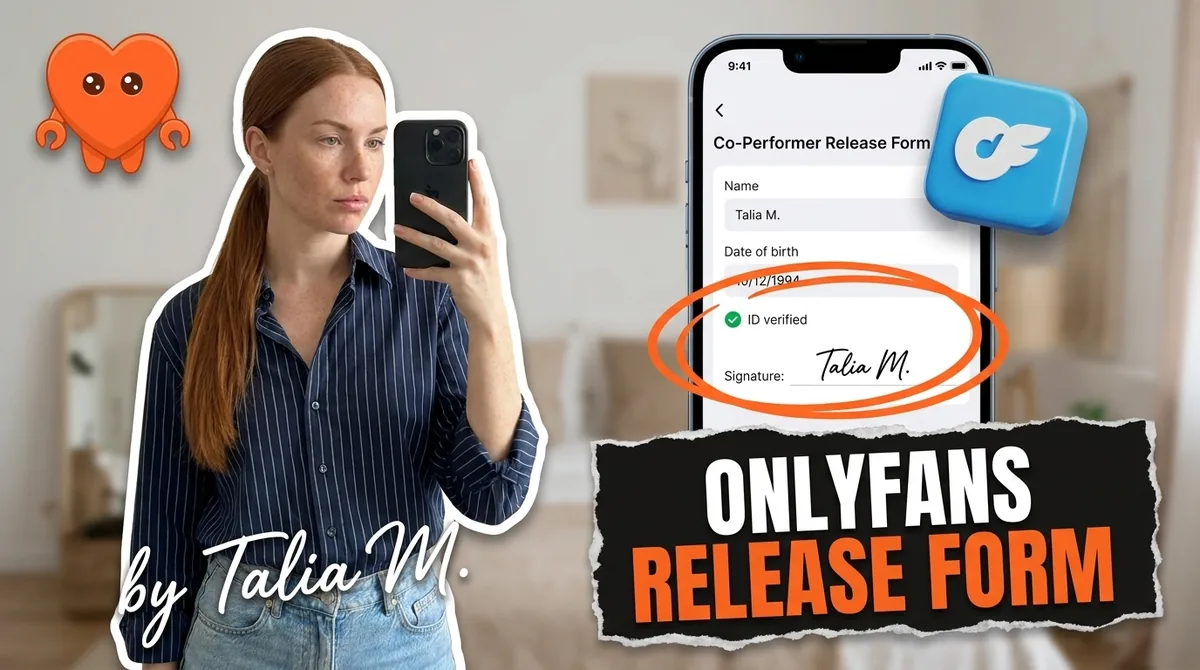
An OnlyFans release form is a consent document that proves every person in your content is 18 or older and agreed to be filmed and published. You need one whenever a co-star appears who is not already verified on OnlyFans, and it must be on record before you post. It is not the same as a 2257 form, which is a separate US legal requirement, and in the US you may need both. This guide covers what a release form is, when you need it, what it must contain, how to submit it, and what happens if you skip it. It is a plain-English explainer, not legal advice, so treat anything high-stakes as a reason to consult a professional.
What is an OnlyFans release form?
A release form is OnlyFans' way of confirming consent and age for everyone who appears in your content. It documents that each person in the frame is at least 18 and has agreed to be recorded and published online. The platform requires it whenever a collaborator features in your content and is not already a verified creator on OnlyFans, because their existing verification is what would otherwise cover them.
The logic is the same as the platform's identity rules for creators, extended to anyone else you film. OnlyFans needs a verifiable record that every performer is a consenting adult. For solo content, your own verification handles that. The instant someone else is in the shot, that record has to exist for them too, and the release form is how you provide it. It protects the co-star, the platform, and you, since it is your proof that the content was made consensually with adults.
OnlyFans release form vs 2257 form
These get confused constantly, but they are two different documents with two different purposes. The OnlyFans release form is the platform's internal consent form. A 2257 form is a US legal record-keeping requirement that applies to anyone producing explicit content, and its job is to verify the age and identity of every performer and keep that documentation on file. They are not interchangeable.
Here is the practical version. The release form is what OnlyFans asks you to submit so it can allow a collab post. The 2257 record is what US law requires you to keep, independent of any platform, the moment you shoot explicit content with another person. If you are in the US, satisfying OnlyFans is not the same as satisfying the law: you need the 2257 records on hand regardless. Outside the US the legal framework differs, but the principle of keeping proof of age and consent holds everywhere. The two documents overlap in spirit and differ in authority, so do not assume one covers the other.
When do you need a release form?
The trigger is simple: anyone other than you appears in your content and is not separately verified on OnlyFans. That covers a co-star, a partner, a guest, a friend who shows up in a clip. If they are in the frame and not verified, you need their signed release on record before the content goes live.
Two clarifications that catch creators out. First, solo content needs no extra release, because your own verification already covers the only person present. Second, being a couple or a long-term partner does not exempt you. The requirement is about consent and verifiable adulthood, not relationship status, so a partner who appears still needs to be on record. If you make couple or collab content, couples on OnlyFans gets into the wider boundaries worth setting before you film.
What must a release form include?
A release form is only as good as the detail in it, because the whole point is a verifiable record. For each co-star, it collects:
- Legal name and government ID details.
- Date of birth, establishing they are 18 or older.
- State or country.
- The OnlyFans page where the content will be posted.
- The co-star's signature and their explicit consent to distribute the content.
Get every field right and keep it legible. A vague or incomplete form defeats its own purpose, and a missing detail can be the difference between a protected post and a removed one. Treat it as the legal document it is, not a formality.
How to get, submit, and store a release form
OnlyFans has a built-in flow. Inside the platform, open your settings, find the Release forms tab (usually near the bottom of the left sidebar), and choose New release form, then complete it for each co-star. Submit it before or alongside the post that features them. There are also third-party apps that generate compliant forms, but the platform's own release-form tool is the simplest route for OnlyFans content.
Submitting is not the end, though. Keep your own copy of every signed release and the matching ID, organized and backed up, separate from what you hand to OnlyFans, because in the US the 2257 record-keeping is legally yours to maintain. If a piece of content is ever questioned, that paperwork is your protection. Keeping your business and its sensitive records on your own machine, rather than scattered across other people's servers, is the right posture for documents this sensitive. FanClaw is a local-first app that runs a creator's business from her own machine, which is the same principle: your account and your data stay with you. You can download FanClaw and keep that side of the operation under your control.
What happens if you skip it
Skipping the release form is one of the avoidable ways to lose a post or risk your account. If you publish content featuring an unverified person without the paperwork, OnlyFans will likely flag or restrict it. Often you will get an email from support asking you to submit the proper release documentation within about 48 hours. Miss that window and the post is removed, and repeated problems escalate toward account-level trouble.
So the order of operations matters: get the release signed before you publish, not after support comes asking. It is far less stressful, and it keeps you on the right side of both the platform's rules and, in the US, the law. For the full picture of what OnlyFans requires and what gets accounts banned, OnlyFans terms of service lays out the rest of the compliance map.
Frequently asked questions
An OnlyFans release form is a consent document that proves every person appearing in your content is at least 18 and has agreed to be filmed and published. OnlyFans requires you to submit one whenever a collaborator appears in your content and is not already a verified creator on the platform. It protects the platform, the co-star, and you.
No, they are two different documents. The OnlyFans release form is the platform's own consent form. A 2257 form is a US legal record-keeping requirement for anyone producing explicit content, used to verify the age and identity of every performer. They are not interchangeable. If you are in the US and shoot explicit content with others, the law requires you to keep their 2257 records, separate from whatever OnlyFans asks for.
Whenever someone other than you appears in your content and is not already verified on OnlyFans. Solo content with just you does not need a separate release, since your own verification covers it. The moment a co-star, partner, or guest is in the frame, you need their signed release on record before you post, or the post is at risk.
It collects identifying details for each co-star: their legal name, government ID details, date of birth, and state or country, plus the OnlyFans page where the content will be posted, the co-star's signature, and their explicit consent to distribute the content. The point is a verifiable record that the person is an adult who agreed, so keep it complete and accurate.
Inside OnlyFans, go to your settings and find the Release forms tab, usually near the bottom of the left sidebar, then choose New release form and complete it for each co-star. Submit it before or with the post that features them. Some creators also use third-party apps to generate compliant forms, but the platform's own release-form flow is the simplest route.
OnlyFans will likely flag or restrict the post. In many cases you get an email from support asking you to submit the proper release documentation within about 48 hours. Miss that window and the post featuring the unverified person is removed. Repeated issues put your account at risk, so it is far easier to get the form signed before you publish.
Yes, if both people appear in the content and the second person is not separately verified on OnlyFans. Being a couple does not exempt you from the consent and age-verification requirement. Each person who appears needs to be on record as a consenting adult, which is exactly what the release form establishes.
Keep your own copy of every signed release and the matching ID, organized and backed up, in addition to whatever you submit to OnlyFans. In the US, 2257 record-keeping is your legal responsibility, so treat these as important business documents. If you are ever questioned about a piece of content, the paperwork is what protects you.