

OnlyFans content ideas: 30 that sell (2026)
OnlyFans content ideas that sell: 30 ideas by content type, how to plan a month of posts, and how to turn content into pay-per-view and tips.
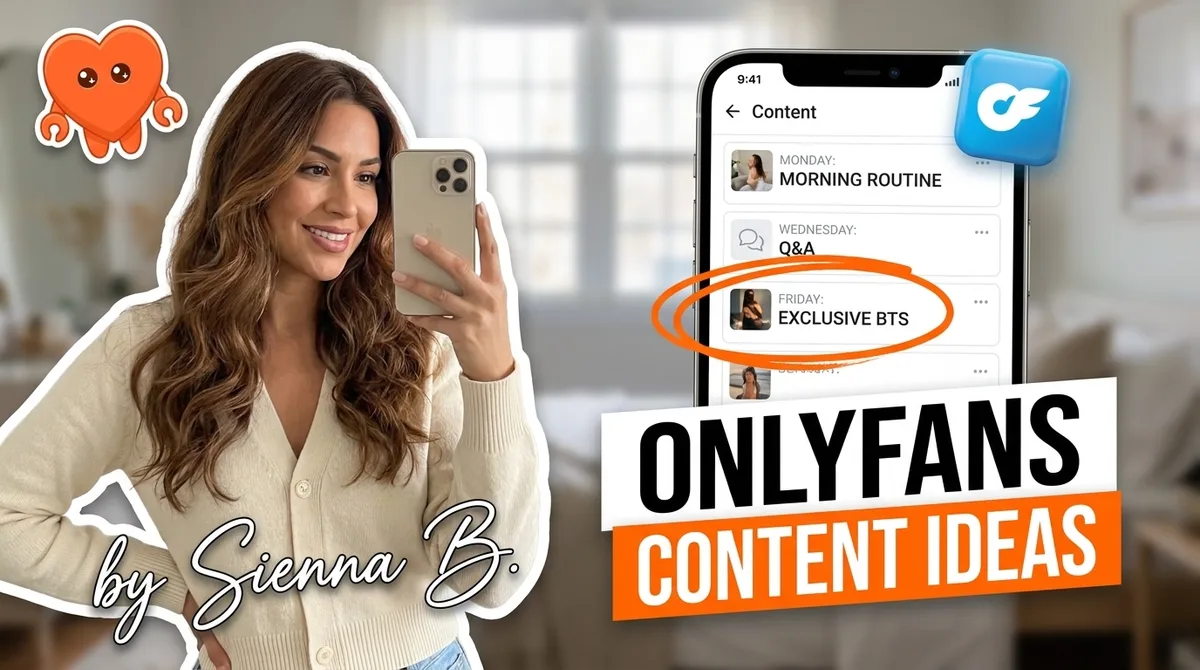
The best OnlyFans content ideas share one trait: they feel exclusive. Fans pay for access they cannot get anywhere else, which means behind-the-scenes footage, custom requests, seasonal themed sets, and interactive formats all outperform generic posts. Thirty ideas follow, organized by content type, along with a practical system for planning a full month in one sitting and turning that content into consistent PPV and tip income.
30 OnlyFans content ideas organized by type
Content that sells falls into five broad categories. Picking two or three from each gives you a varied calendar that holds subscribers across different spending levels.
Photo set ideas
Photo sets are the backbone of most OnlyFans accounts. They are fast to produce, easy to batch, and convert well as both free feed posts and PPV bundles.
- Themed outfit sets. Pick a visual concept (color palette, location, mood) and shoot 10 to 15 images around it. Release the first two free and lock the rest behind PPV.
- Day-in-the-life snapshots. Candid, low-production images of your actual day: morning coffee, your workspace, post-workout. These feel intimate without requiring a full shoot.
- Before and after series. Two contrasting looks, moods, or styles in one post. Fans comment readily on these because they invite a preference.
- Seasonal and holiday sets. Tie your aesthetics to the calendar: new year, Valentine's Day, Halloween, summer. Evergreen ideas you can reuse every year.
- Fan-requested theme. Poll your audience or watch your DMs for requests, then shoot exactly what they asked for. Name the fan (with permission) in the post. Instant loyalty.
- Behind-the-scenes of a shoot. The setup, the lighting, the outtakes. Fans love seeing what goes into the polished content. Very low additional production effort.
Video content ideas
Short video content drives the highest PPV unlock rates on OnlyFans. As of 2026, rough benchmarks put video pricing at $3 to $5 per finished minute for standard content, with custom adding a premium on top.
- Morning or evening routine. A 3 to 5 minute slice of a genuine daily ritual. Authenticity is the hook.
- Q&A video. Answer fan questions directly to camera. Source questions from DMs or a poll post. Costs you nothing to produce and drives high engagement.
- Themed solo video. A scenario or setting fans have requested. Deliver 5 to 8 minutes priced at $25 to $45.
- Monthly recap. A short video at the end of each month looking back at your favorite content from that period. Great for re-selling older posts through links.
- Tutorial or skill share. Teach something you genuinely know: makeup, fitness, cooking, photography setup. Fans who follow you for your aesthetic are interested in how you achieve it.
- Unboxing or haul video. Show new items relevant to your content niche. Easy to film, feels spontaneous, and brands sometimes collaborate.
Interactive and chat-based ideas
Interaction is what separates OnlyFans from a static photo site. GFE-style (girlfriend experience) chat formats, polls, and direct fan engagement are some of the highest-converting formats per hour of effort.
- Poll posts. Two options, fans vote, you deliver the winner. Simple, drives comments, and gives you a brief with zero creative guesswork.
- Ask me anything (AMA) day. Announce one day per month where you respond to every DM personally. Fans pay tip menu prices for a guaranteed personal reply.
- Custom message shoutout. A fan sends a tip, you record or write a personalized message back. Listed on your OnlyFans tip menu with a clear price.
- "Guess what I'm wearing" post. A teaser image with a follow-up PPV reveal. Drives both engagement and unlocks.
- Fan milestone celebration. When you hit a subscriber count or content milestone, share it with your audience. Fans feel invested when they know they contributed to your growth.
Series and subscription-retention ideas
A recurring series gives subscribers a reason to stay past their first renewal. Anticipation is the most powerful retention tool in a creator's kit.
- Weekly themed series. Pick a format ("Sunday Soft Hour," "Friday Outdoor Set") and commit to it for 30 days. Fans build a habit around it.
- Monthly costume reveal. One new look each month, hinted in stories and DMs the week before. The buildup generates more engagement than the reveal itself.
- Subscriber anniversary post. Send a personal DM to fans on their one-month and three-month anniversary. High perceived effort, low actual effort, strong retention signal.
- Content countdown. "Five days until my biggest set this year." One teaser per day. Subscribers who almost cancelled often renew because something is coming.
- Locked chapter series. A multi-part story or concept released one piece per week. Fans who unlock part one want part two. Sequence matters more than individual production quality.
Monetization-specific content formats
Some ideas exist specifically to move fans up the spending ladder rather than to attract new subscribers.
- PPV bundle drop. Package three to five older posts into a single bundle priced below what they would cost separately. Great for re-monetizing your back catalog.
- "This week only" limited PPV. Create scarcity on a new set by limiting it to 72 hours. Urgency converts fence-sitters.
- Custom request slot. Open a limited number of custom slots each month, promoted as sold out once filled. Scarcity increases perceived value.
- Early access tier. Send new content to a segment of fans 24 to 48 hours before it goes live publicly. Works best as a PPV mass DM to your top spenders.
- Re-engagement PPV. A mass DM to fans who have not interacted in 30 days. Offer them something specific at a slightly discounted entry price to pull them back.
How to plan a month of content in one session
The fastest creators do not come up with ideas daily. They plan in batches, shoot in batches, and schedule in batches. One two-hour session per month handles the whole calendar.
Step 1: Pick your recurring series (20 minutes). Choose two or three formats from the lists above that you can produce every week without burning out. Lock them to specific days. These fill 8 to 12 posts automatically.
Step 2: Map your event posts (20 minutes). List every seasonal moment, milestone, or product launch in the coming month. Assign a posting date to each. These become your "headline" posts, the ones worth promoting in advance.
Step 3: Identify your PPV drops (20 minutes). Decide which pieces of content go behind a paywall and at what price. Use the value ladder: teaser images free, photo sets $15 to $30, short videos $20 to $35, custom work $50 and up. Always price to net the amount you want after OnlyFans takes their 20 percent (divide your target net by 0.8 to get the post price).
Step 4: Write your teaser copy (30 minutes). For each planned drop, write one short post announcing it two to three days in advance. "New set drops Thursday, first look in DMs." Copy written now means no scrambling the day of.
Step 5: Batch your production. Film and photograph as much as possible in one or two dedicated sessions. Batching cuts setup and breakdown time in half and lets you get into a creative rhythm that single-day shoots break.
| Week | Feed posts | Mass DM | PPV drop |
|---|---|---|---|
| Week 1 | 4 to 5 (intro, series, AMA) | 1 welcome / re-engagement | Photo set bundle |
| Week 2 | 4 to 5 (event, series, Q&A) | 1 teaser for Week 3 PPV | None |
| Week 3 | 4 to 5 (series, behind scenes) | 1 PPV mass DM | Video PPV |
| Week 4 | 4 to 5 (milestone, series) | 1 renewal nudge | Locked chapter drop |
Thirty posts per month is achievable in two shoot days and one planning session. The structure is what makes it sustainable, not a higher production budget.
How to turn content into PPV and tip income
Great content is the raw material. The monetization layer is how you convert it into revenue. Two mechanisms carry most of the income: pay-per-view messages and tip menu requests.
PPV mass DMs. Once you have a piece of content ready, send it as a locked message to your fan list. The unlock mechanism is built into OnlyFans. Include one or two preview images (a preview can lift unlock rate 40 to 60 percent compared to text-only), write a one-line description of what is inside, and set the price. Send to your full list or, for higher conversion, segment by spend history and send a whale-targeted version at a higher price point.
Tip menu integration. Your content calendar and your OnlyFans tip menu should feed each other. A themed costume set on the calendar becomes a menu item ("custom costume set, your theme, $60"). A custom video slot in your calendar becomes a limited tip menu item with a deadline. The menu tells fans what to ask for. The calendar tells you what you can deliver and when.
Re-monetizing your back catalog. Older content does not expire. Bundle three to five posts from six months ago into a new PPV drop. Newer subscribers have never seen it. Long-term subscribers who did not unlock it at the time get a second chance. One two-hour curation session can add a meaningful revenue line without any new production.
How to run your content calendar without burning out
The burnout pattern is predictable: a creator does everything manually, wakes to 200-plus unread DMs, spends 16 to 18 hours a day on replies and scheduling, and quits within two to three months. The content itself is rarely the problem. The operational load is.
The creators who last are the ones who separate content production (creative, human, personal) from content distribution (scheduling, mass DMs, PPV sends, follow-ups). Production stays with you. Distribution can run on your machine while you sleep.
FanClaw is a local-first app that runs a creator's DMs, posting, PPV sends, and mass messages from her own machine, using fan spend data that never leaves her computer. The agent handles the distribution layer: scheduling posts, sending PPV drops to the right fans at the right time, drafting re-engagement messages, and surfacing which fans are most likely to respond to a custom offer today. You approve before anything sends. Your login and fan data stay entirely on your own machine, unlike tools (Supercreator, Infloww, and similar) that take your OnlyFans credentials and run your fan messages through their own systems (servers, proxies, or shared team sessions). You can download FanClaw and run your first month's content calendar on it in a free seven-day trial.
Content ideas are the easy part. Running them at scale, consistently, without burning out is the actual work. A content calendar with clear formats and a distribution layer that runs locally handles both.
Frequently asked questions
Content that feels personal and exclusive sells best. That includes custom photo sets, behind-the-scenes footage, themed or seasonal content, and GFE-style chat interactions. Fans subscribe for access to you specifically, not generic content they could find anywhere. The more a piece of content signals that it was made for them, the higher it converts.
Most active creators post four to seven times per week on their feed and send at least two to three mass DMs per week. Consistency matters more than volume: a predictable schedule keeps subscribers engaged until renewal. Going quiet for more than five days tends to spike cancellations, especially from newer fans who have not built loyalty yet.
Start with a pinned welcome post that introduces you and hints at what is coming, a themed photo set that you can drip out over a week, and a simple tip menu. These three pieces give a new subscriber something to engage with immediately, a reason to stay, and a clear path to spend more. Add PPV once your subscriber count is above 50.
Look at what your fans are already asking for in DMs. Those messages are a real-time brief: fans typing 'I wish you would...' or 'have you ever tried...' are handing you your next 10 ideas for free. A content calendar with four to five recurring series, like a weekly themed set or a monthly behind-the-scenes drop, also eliminates the blank-page problem permanently.
Batch your best content into bundles and send them as pay-per-view messages to your fan list. A five-photo themed set priced at $15 to $25 with one preview image can unlock at a 40 to 60 percent rate when sent to engaged fans. Price by the value ladder: photo sets $10 to $30, short videos $20 to $35, custom or longer videos $50 to $120. Always account for OnlyFans' 20 percent cut when setting prices.
Yes, and most creators do. The standard approach is to post on one platform first, wait a few days to a week, then post on the other. Fans on each platform rarely overlap, so the same content earns twice. Some creators use the second platform as a repurposed highlights feed to reduce production pressure.
A content series is a repeating format tied to a theme, day, or premise: for example, 'Sunday morning coffee set' or 'monthly costume reveal.' Series work because they build anticipation between posts, give you a formula so you never face a blank slate, and teach your fans to expect something specific from you. Anticipation drives renewals and tip requests.
Pick two to three recurring series, assign each a posting day, and block out four to six 'event' posts for the month (seasonal tie-ins, subscriber milestones, new theme launches). Film or photograph the routine content in one or two batch sessions. Drop teaser previews the day before each piece goes live. This structure fills a four-week calendar in about two hours of planning.