Best time to post on OnlyFans (2026 data guide)
The best time to post on OnlyFans in 2026, by day and time zone, why timing matters less than consistency, and how to schedule posts to hit peak windows.
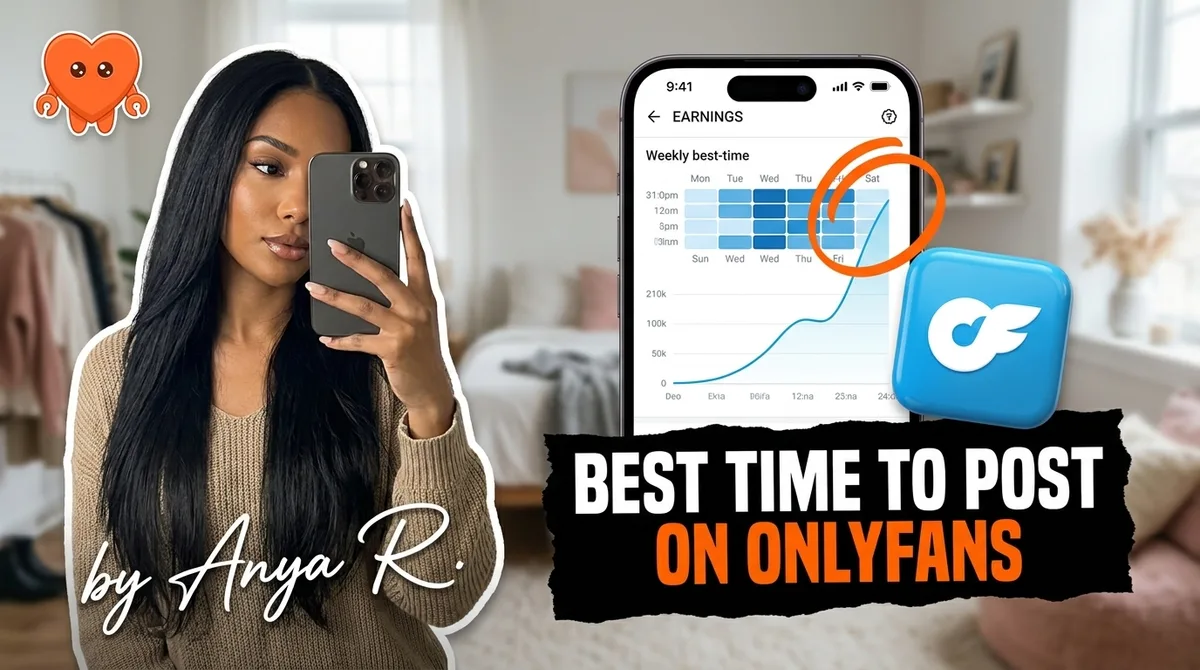
The best time to post on OnlyFans in 2026 is between 8 pm and 11 pm in your fans' primary time zone, with Tuesday through Thursday evenings and Sunday evenings being the strongest windows. Payday-adjacent days (the 1st and 15th of the month, and the surrounding evenings) produce above-average PPV unlock rates across all creator niches. That said, timing is a minor lever. Consistent posting and a follow-up DM after each drop are both bigger drivers of income than hitting the exact optimal hour.
The recommended posting windows by day
Aggregate patterns from creator communities and OFM agency disclosures in 2026 point to the same evening-heavy clustering. The table below gives suggested windows in Eastern US time, which covers the majority of English-language OnlyFans subscribers. Add three to six hours for a European audience (UK, France, Germany) and subtract two to three hours for a West Coast US or Latin American audience.
| Day | Best window (ET) | What to post |
|---|---|---|
| Sunday | 8 pm to 11 pm | Full feed post, PPV drop, re-engagement DM |
| Monday | 9 pm to 11 pm | Short feed post, teaser for the week |
| Tuesday | 8 pm to 11 pm | Strong PPV drop, mass DM |
| Wednesday | 8 pm to 10 pm | Feed post, behind-the-scenes |
| Thursday | 7 pm to 10 pm | PPV or tip-menu promo, strong mass DM |
| Friday | 7 pm to 9 pm | Lighter post, teaser for weekend content |
| Saturday | 2 pm to 5 pm | Leisure-time drop, custom request promo |
The monthly payday pattern matters too. The evenings of the 1st and 15th, and the two evenings following each of those dates, tend to see elevated spending across the platform. If you have one major PPV drop scheduled for the month, aim for the 15th or 1st window whenever possible.
Why timing matters: when fans are online and spending
OnlyFans fans, like most subscription consumers, browse and spend during downtime. Evenings on weekdays are peak leisure windows: dinner is done, the workday is closed, and scrolling is the default activity. The platform's notification delivery is real-time, so a post or mass DM that lands at 8 pm reaches an actively browsing audience. The same content posted at 7 am competes with a commute, a coffee queue, and a hundred work notifications.
Three factors amplify timing's effect on revenue:
Notification recency. OnlyFans surfaces new content and DMs in the notification center. The more recently a fan received your notification before they opened the app, the more likely they are to click through. A post buried under four hours of other notifications still gets seen, but conversion drops. Evening posts stay near the top of the feed for the two to three hours when fans are most active.
Impulse spend windows. PPV unlocks follow the same impulse-purchase psychology as any digital content. A fan who is relaxed, entertained, and already in a spending mood (evening, post-payday) is the easiest conversion. A fan who sees the same content during a lunch break has a higher friction environment for completing a purchase.
The payday effect. The 1st and 15th of the month are when a large share of fans receive direct deposits. Spending on discretionary digital subscriptions, including OnlyFans PPV, spikes measurably in the 48-hour window after payday. Broader retail data backs this up: one industry analysis found consumer spending jumps 33 percent on payday and stays elevated for a few days after before returning to normal. Planning one significant PPV drop to coincide with this window is one of the highest-ROI scheduling decisions a creator can make.
How to find your own best posting time
General benchmarks give you a starting point. Your actual best time comes from your own data.
The simplest method: pull your PPV unlock timestamps and mass-DM response timestamps from the past 30 days. Cluster them by hour of day and day of week. The cluster with the most events is your real peak window, calibrated to your specific subscriber mix, not a generic industry average. A creator whose audience is primarily European night-shift workers will have a completely different peak from one whose fans are US college students.
What to look for in the data:
- The two or three hours with the highest PPV unlock rate, not just the highest notification open rate. Unlocks mean revenue; opens mean attention.
- The day-of-week pattern for tip transactions. Tips tend to follow a slightly different curve from PPV unlocks, often skewing toward Sundays and mid-week evenings.
- The payday spike. Check whether your unlock rates reliably jump on the 1st and 15th. If they do, protect those two windows on your calendar every month.
Run this review once per month. Subscriber demographics shift, especially when you run a Reddit or Instagram acquisition push that brings in a new geographic cohort. What was your peak window in January may have shifted by March.
For OnlyFans content ideas that pair well with timing strategy, batching your content production by week is the most practical way to ensure you always have something ready when your peak window arrives.
Why consistency beats perfect timing
Timing is a real but minor lever. Getting into the right two-hour window might lift your PPV unlock rate by 10 to 20 percent compared to posting at an off-peak hour. But posting consistently at a slightly suboptimal time beats posting sporadically at the perfect time by a wide margin.
The reason is behavioral: subscribers who renew after their first month do so because they expect something from you. That expectation is built by a predictable posting pattern, not by individual post performance. A creator who posts four times per week at 9 pm, reliably, for 30 days, will have lower cancellation rates at the one-month mark than a creator who posts eight times one week and once the next, even if the second creator has individually better content.
Going quiet for more than five days is directly correlated with cancellation spikes, particularly among newer fans who have not yet built loyalty. Consistency is the retention mechanism. Timing is the conversion optimizer on top of that foundation.
The one rule that matters more than any window: post before you send the follow-up DM. A feed post paired with a mass DM that says "just dropped something for you" converts meaningfully better than a mass DM alone. The sequence is: post goes live, wait 15 to 30 minutes for it to surface in feeds, then send the DM. That post-then-DM rhythm is a bigger revenue driver than the specific hour you chose.
How to hit peak windows across time zones without staying up
If your subscriber base spans multiple time zones (common for any creator who has done acquisition on Reddit or Instagram), hitting peak windows everywhere requires either staying awake at odd hours or automating the timing.
The practical breakdown for a mixed US/European audience:
- US Eastern peak: 8 pm to 11 pm ET (1 am to 4 am GMT)
- UK/Europe peak: 8 pm to 11 pm GMT (3 pm to 6 pm ET)
- West Coast US: 8 pm to 11 pm PT (11 pm to 2 am ET)
No creator should be awake for all three windows. The standard approach is to schedule your highest-priority drop for your largest audience's peak (usually US Eastern for English-language creators), and schedule a second lighter mass DM for the European window if Europe represents more than 20 percent of your paying subscribers.
OnlyFans has a built-in post scheduler for feed content. It does not cover mass DMs, PPV sends, or follow-up messages. Handling those manually means either being awake at 8 pm ET or skipping them.
FanClaw is a local-first app that runs a creator's posting, DM sends, PPV drops, and mass messages from her own machine, with fan spend data that never leaves her device. The scheduling layer handles timing automatically: you set the content and the price, FanClaw queues the post and the follow-up DM for the right window, and executes while you are asleep or offline. Unlike tools such as Supercreator or Infloww that take your OnlyFans login and run your fan messages through their own systems (servers, proxies, or shared team sessions), FanClaw runs entirely on your computer. Your credentials and your fan data stay with you. You can download FanClaw and test the full scheduling workflow in a free seven-day trial.
The post-then-DM follow-up that multiplies your timing gains
Timing your post correctly is the setup. The follow-up DM is where the revenue actually lands.
The mechanic is straightforward. When a feed post goes live, a segment of your subscribers sees it organically. But many subscribers open OnlyFans irregularly, miss posts in the feed, or only engage when something lands in their DMs directly. A mass DM sent 15 to 30 minutes after the post, referencing what just dropped, recovers that second group.
For PPV content, the DM is even more direct: send the locked content as the DM, with a one-line description and a preview image. Preview images lift unlock rates 40 to 60 percent compared to sending the locked message without a preview. The fan who missed the feed post now has the PPV in their inbox at the exact moment they opened the app.
Two practical rules for the follow-up DM:
-
Segment when you can. Your highest-spending fans (whales) should receive a version of the DM that reflects what they have bought before, priced slightly higher. Your cold or lapsed subscribers should receive a version priced at the entry level of your value ladder. Mass-blasting one price to everyone leaves revenue on both ends.
-
Do not send the follow-up DM at the same time every week. Fans adapt to patterns. A mass DM that arrives at exactly 9:15 pm every Tuesday starts to feel like a newsletter subscription and gets ignored. Vary within your peak window by 20 to 40 minutes week over week.
The post-then-DM sequence, executed consistently within your identified peak window, is the single highest-leverage operational habit a solo creator can build. Timing research and content quality support it. But if you do nothing else, this rhythm alone will outperform a creator who posts better content at random times with no follow-up.
Frequently asked questions
The general consensus in 2026 is evenings between 8 pm and 11 pm in your fans' primary time zone. For most North American audiences that means Eastern or Central time. Tuesday, Wednesday, Thursday, and Sunday evenings consistently outperform Monday and Friday for engagement and PPV unlocks, because those are the evenings fans are home and not distracted by weekend plans or Monday exhaustion.
Timing is a real but minor lever. Getting into the right two-hour window might lift unlock rates by 10 to 20 percent compared to posting at an off-peak hour. But posting consistently at a slightly suboptimal time beats posting sporadically at the perfect time by a wide margin. Consistency predicts renewals; timing slightly tweaks conversion rate on individual drops.
Tuesday through Thursday evenings and Sunday evenings are the strongest days for feed posts and mass DMs. Weekday mornings work for re-engagement DMs targeting fans in European or Australian time zones. Saturday afternoons can perform well for PPV drops because fans are at leisure, but the competitive clutter is higher on weekends.
Look at your own notification timestamps and PPV unlock times over the past 30 days. Cluster those events by hour of day and day of week. That pattern is your actual peak window, calibrated to your specific audience mix, not a generic benchmark. Review the pattern monthly, since it shifts when your subscriber mix shifts.
Yes, for feed content. A predictable schedule trains subscribers to expect something from you and check the platform at a consistent time. For PPV drops and mass DMs, vary the send time slightly week to week (within your peak window) to avoid being filtered as a pattern by fans who start ignoring messages at a fixed hour.
Post in the time zone where the majority of your paying subscribers live. For most creators, that is Eastern US time. If you have a significant European fan base, a second window around 8 pm GMT captures both audiences. You do not need to be awake for both windows: scheduling posts and DMs in advance from your own machine means you can hit any time zone without staying up.
Up to a point. Four to seven feed posts per week is the range where engagement stays high and cancellation rates stay low. Posting more than once per day tends to dilute individual post engagement, and posting fewer than three times per week is correlated with higher cancellation rates as subscribers feel the account has gone quiet.
OnlyFans has a built-in post scheduler, but it only covers feed posts, not mass DMs or PPV sends. FanClaw handles the full distribution layer, including scheduling feed posts, queuing PPV drops, and timing mass DMs, all from your own machine so your fan data never leaves your device.